

More extensions coming fast. What you see here today will be different tomorrow.
RCA QuickCategory


Stop navigating away to create new categories. Do it right inside the article editor.
Abandoned
Revived
Fully
Refactored
J4, J5, J6, J7+
Reimagined
Joomla
Updater
Joomla's article editor forces you to stop and navigate away every time you need a new category. Save the article. Open Categories. Create the category. Come back. Re-open the article. Re-select the category. Six clicks minimum — every single time. RCA QuickCategory ends that workflow tax. A small “+ New Category” button appears inline in the Category field. Type a name. Click Create. The category is created and selected automatically — without leaving the page. Refactored for J4/5/6, clean UX, J7+ ready.
$ 39.00
Single site license
1 year of updates
Priority support
If it breaks, we fix it
Buy Now, Pay Later with



$39.00
(Excl. 5.5% tax)
Stripe payment plugin built by RCA
Joomla 4/5/6
NO LEGACY CODE
PHP 8.2+
BRIONY APPROVED

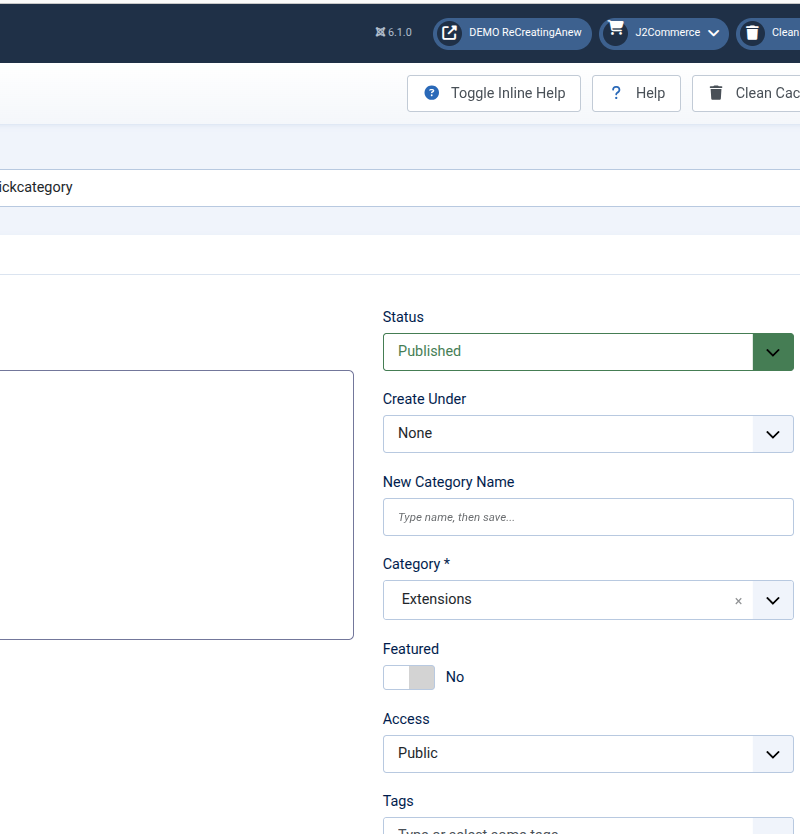
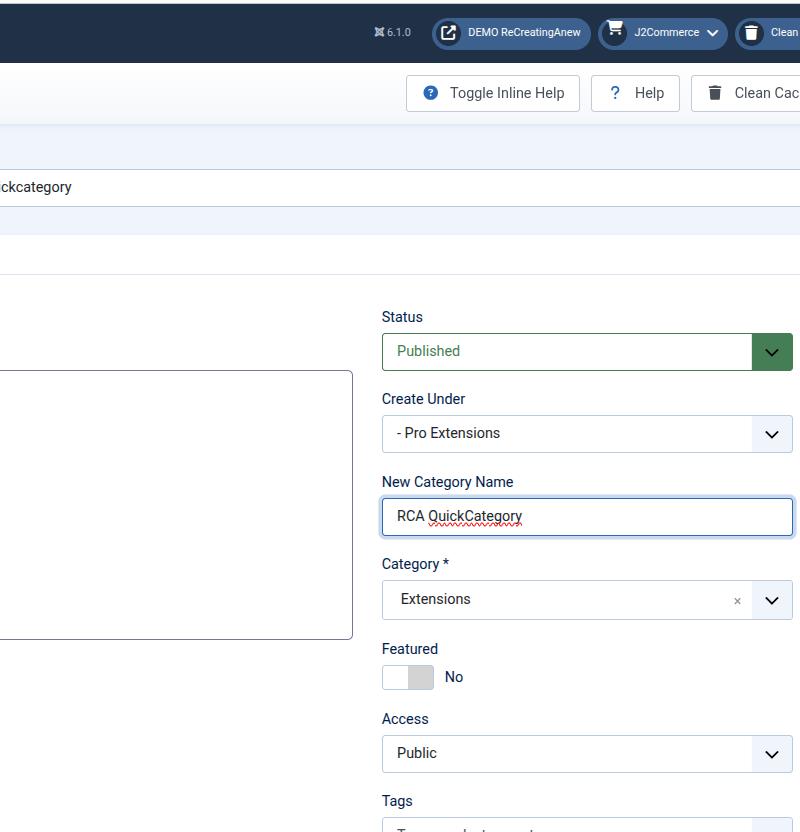
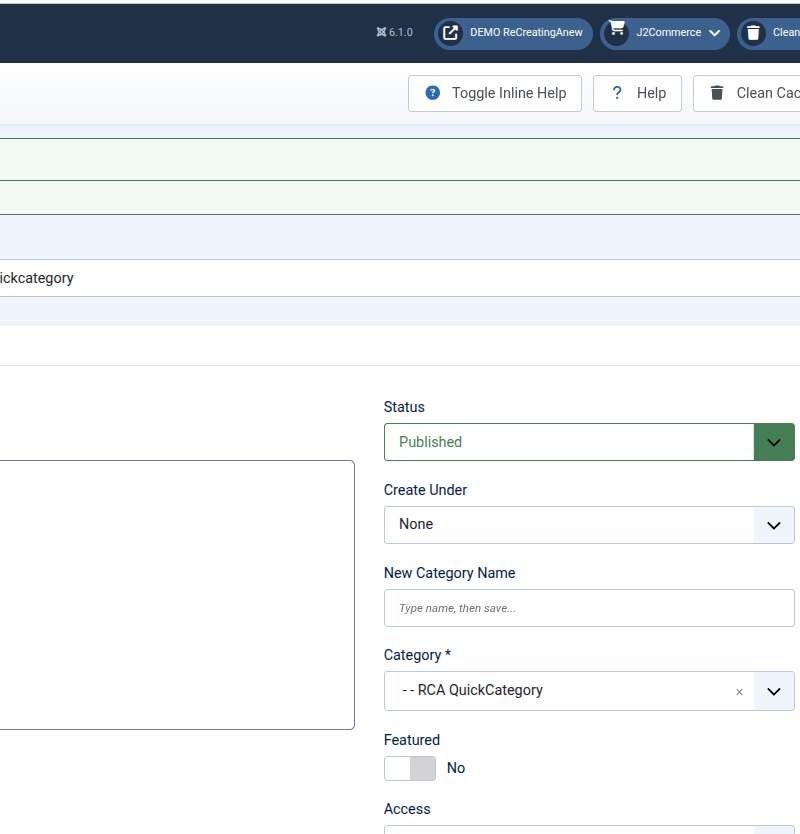
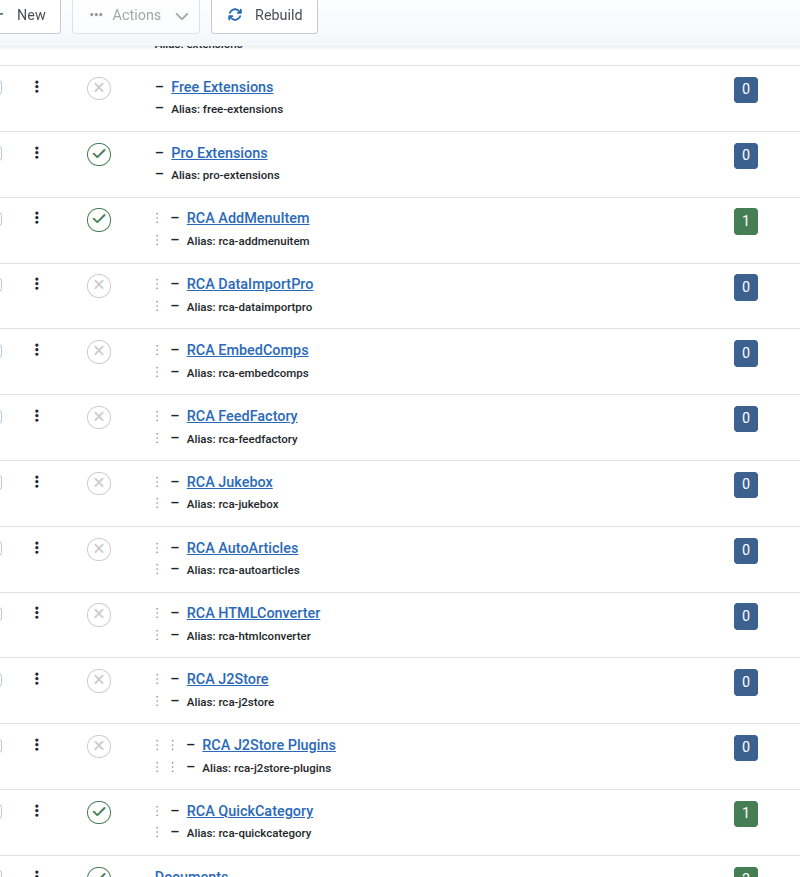
Add new categories, inside Article editor.
Forgot to create a Category? No Problem! Create new categories right inside the Article editor.
- No more creating all categories first
- Category doesn't exist? No problem!
- More efficient, smarter Joomla workflow
What It Does
Adds two new fields to the Article editor that lets you create new categories on the fly.
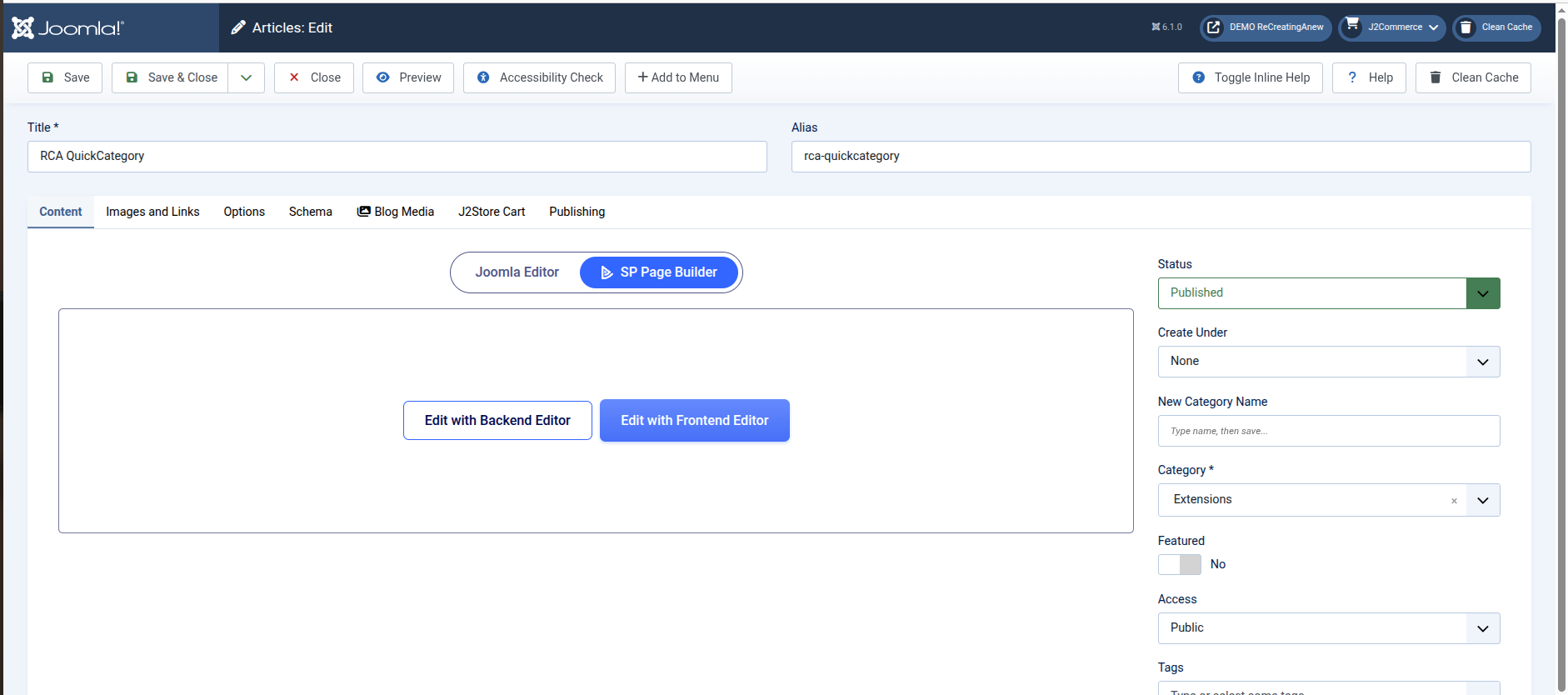
Create New Categories and Articles Together
When adding new or editing articles, create new categories without leaving the editor.
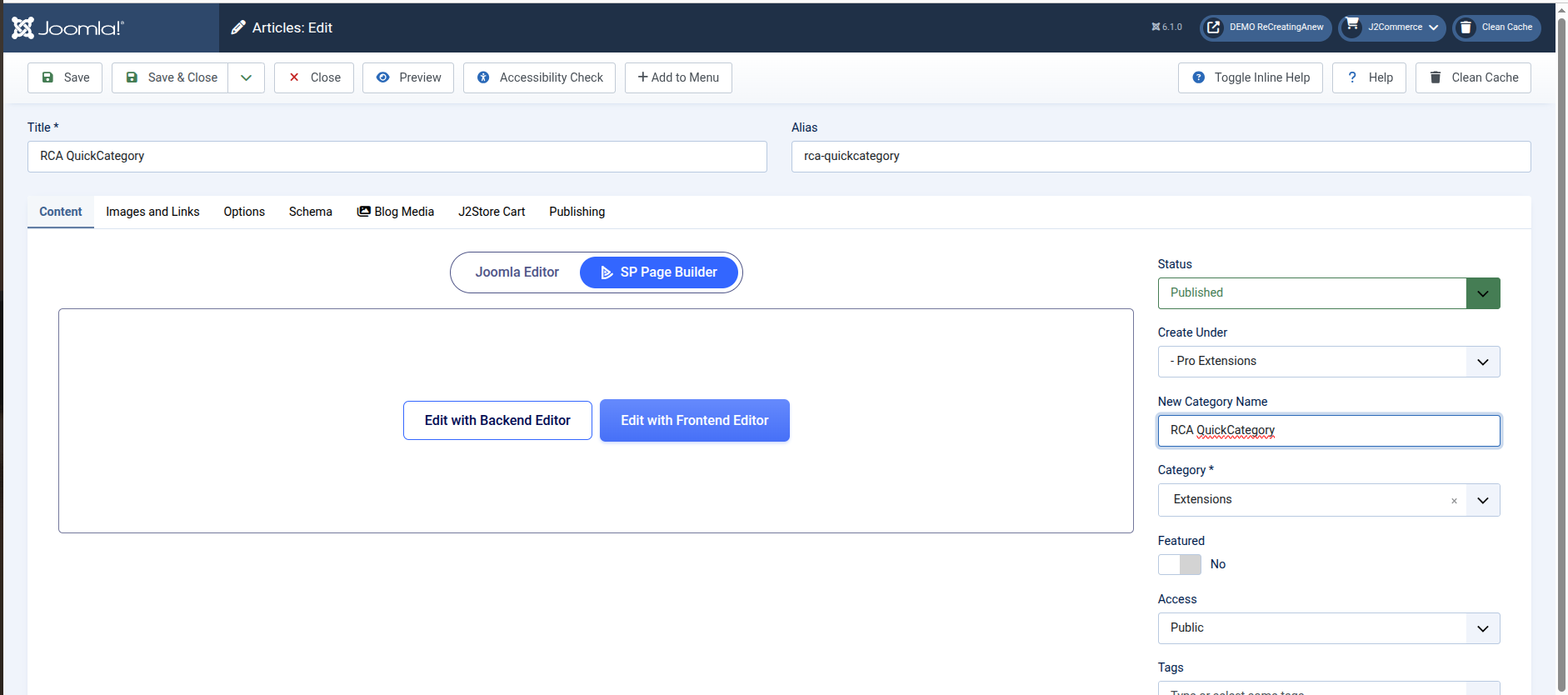
Category Doesn't Exist Yet? Create It!
Type the new category name.
Select the parent category.
Click Save.
Done in seconds.
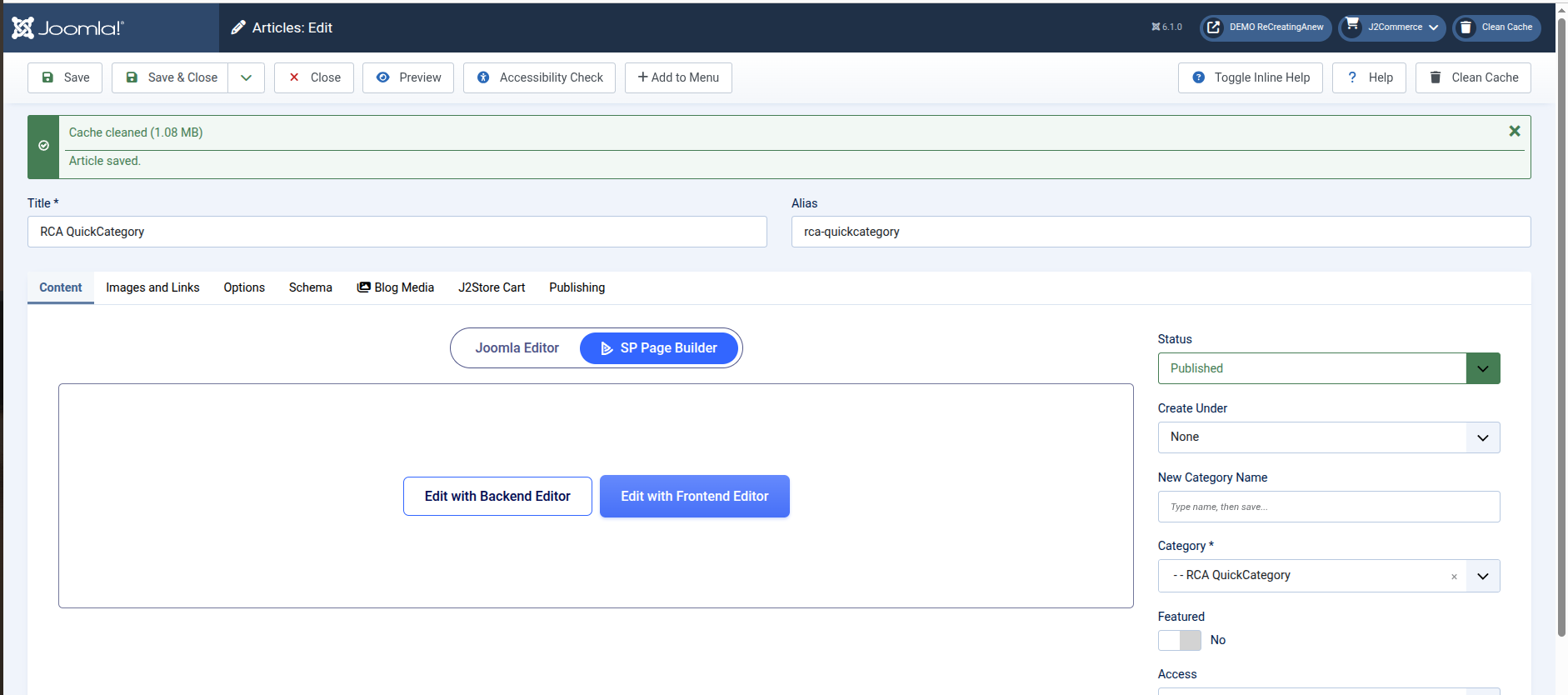
Choose Parent Category, or Create One
Once saved, the new Category is assigned to the Article immediately.
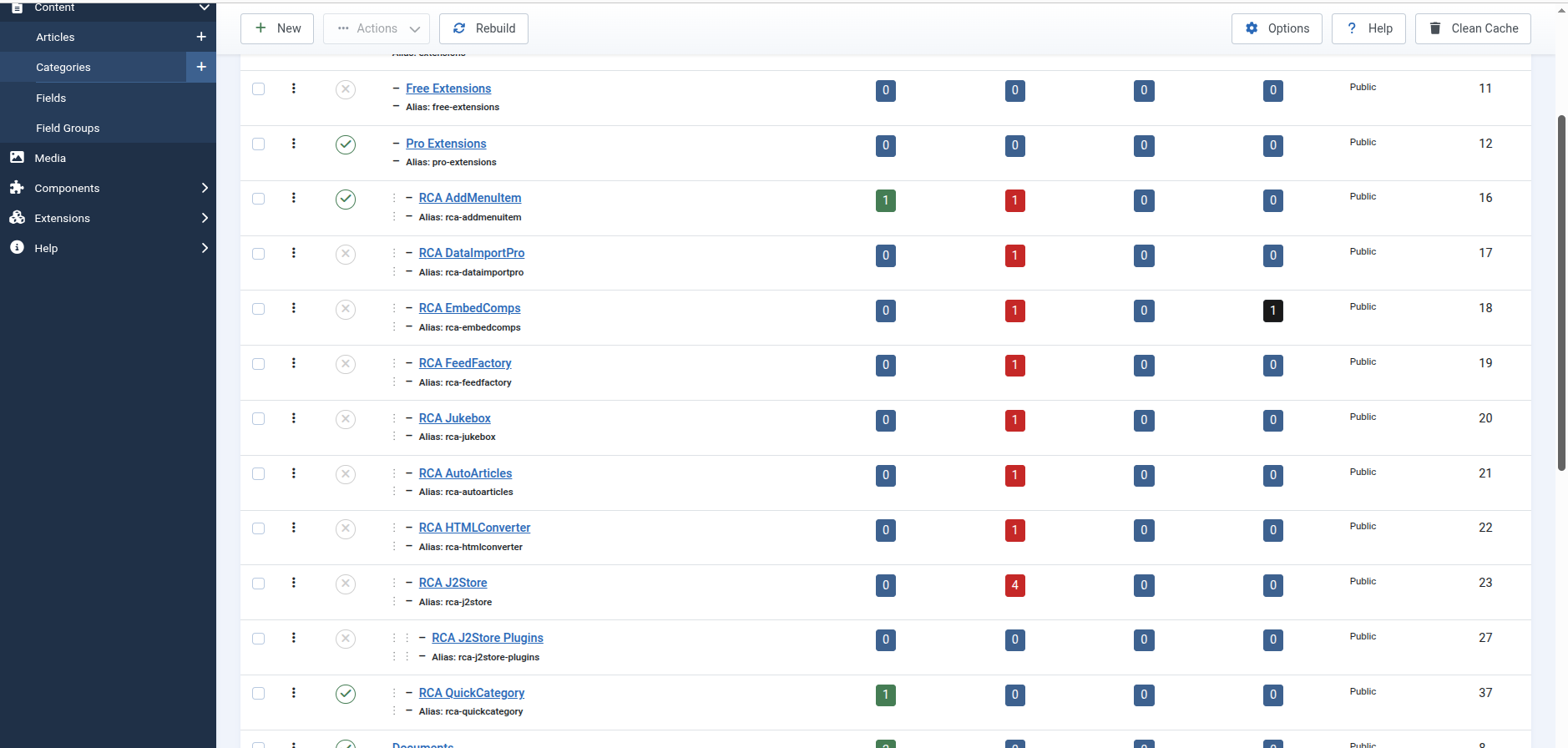
Category Created. Article Edited. Done.
The new Category is live and added as soon as you click Save.



The category doesn't exist yet. Type a name. Save. Now it does.
QuickCategory installs as a System plugin and enables automatically. Open any article for editing — Create Under and New Category Name are already above the Category field, ready to use.
Included out of the box:
- Create Under dropdown — your full category tree, pick any parent or None for top-level
- New Category Name field — type a name, save, the category is created and the article is filed in the same step
- Leave New Category Name blank and the plugin steps aside — standard Category field works normally
- Free — no license key, no account required
- Automatic updates via Joomla Updater
- Full documentation at recreatinganew.com
Joomla has never had inline category creation. Not in J1, J2, J3, J4, J5, or J6. The only option has always been: leave the editor, go to Category Manager, create the category, come back.
WordPress has had this feature since 2007.
RCA QuickCategory is the plugin that fixes the eighteen-year gap. It is not a refactor of an abandoned extension — there was no worthy predecessor to refactor. It's built from scratch, specifically for Joomla 4, 5, and 6, using Joomla's native APIs throughout.
RCA QuickCategory was installed and tested on a live Joomla 6 site immediately after the v1.0.5 build and has been used to build RCA's live site.
The old way — 7 steps to create a category while inside Article editor:
- Save and close the article
- Navigate to Category Manager
- Create a new Category
- Navigate to Article Manager
- Reopen the article
- Select the new Category
- Save.
With RCA QuickCategory — 3 steps:
- Type new Category name. Enter.
- Choose Parent Category
- Save.
Done. You never left the Article editor.
Create Instantly
Add new categories without leaving the editor.
Any Article, Any Category
Forgot to create all categories first? No problem!
Never before in Joomla!
18 years using the same workflow to create categories. Until now.
Save Time
Streamline your workflow and get more done.